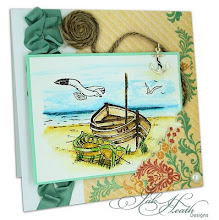
No card today, I've been busy playing and tidying up... (I lie) there's really no point, the Untidy Fairies turn up at three in the morning and mess it all up again. But I
have been playing. Computers are great things aren't they, I just wish mine wasn't brainier and far cleverer than me, but it is.
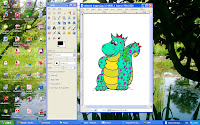
This is what I've been doing, trying to colour in Photo Shop and Gimp. (No, I haven't got to the layering bit yet.)
I've had both for ages. I open them up and then just stare at all the little icons and gadets and tiny pictures that allude me to what they do. Occasionally I feel brave enough to press a few buttons and something happens that either makes me yell with excitement and call
'come and look at what I've just done!' or yell and swear,
(Oh bother!!) both at poor John, who, is, bless him, trying his best to learn all about
Sketch book Pro and Photo Shop by reading through the pile of library books,
For Dummies, he's brought home.
They are really
very handy. Huge thick books. If I stand on them I can reach the top shelf in the cupboard (It needs dusting!)
But, besides all that... this is what I've done this afternoon. I haven't a clue how. I was just lucky and pressed the right buttons! But it is fun and a great sense of satisfaction when something goes right and when you think about it, it can only get better, then I'll wonder what all the fuss was about and why on earth I hadn't worked it all out sooner. Simples!! But not yet!
As you can see,
I'v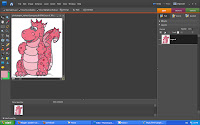
e coloured my
Freebie
Digi,Draco Dragon
(see below) with my
Promaker pens. It's easy and quick, but if you make a mistake or wished you'd used a different colour, the only option you have is to start again, but! In Paint Shop, or in any Graphics programme, you can just press 'undo' and magically it's gone!
Another great advantage is that you can colour your image many times over in an array of different colours and save them on your computer to use when and where you need them. No pen ink used, no printer ink used. And this also makes it easier to see how you'd like your image coloured, because at a click off a button, it can be any colour of the rainbow, no more buying expensive pens ~ although I can't see me ever not waiting to collect all the
Promarker colours!
So? At first glance of the top photo, could you tell which Draco was coloured with
Promakers and which was coloured by my computer in Gimp or Photo Shop?
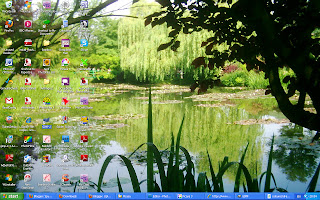
And just for fun, who can guess where the picture was taken that I have as my screen saver?? I took it a few summers ago. The famous owner of this garden never had a computer, he only used the colours in his paint box.
Hi and a big (((wave))) to new follower,
Mckinkle aka
Keryn who is a
WOYWW fan and has a fabulous blog. Check out her amazing Exploding box!
For a free download of GIMP click
here others sites are
available, just Google it! Thank you for stopping by!
double click on the pictures to make them bigger
 Okay....you can't see the card, not yet anyway...(It's for a GDT spot for a challenge that's coming up Monday 2nd August, as I won one of their challenges) I've been playing in Photo Shop and you know it's no good me reading anything, (see my profile) as it just 'won't go in' but I managed working in three layers...One for the card, one for the first font and one for the second font...ok, so it's not rocket science to most of you and I have done one layer before easily enough but I feel I've at last conquered the ant hill!! Now...I'll try the mountain!! (anyone seen my Three Tors Walking Boots?)